Vehicle Registration Program
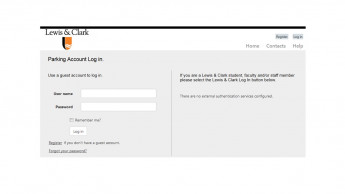

Parking permits and vehicle registration is required Monday through Friday 7 a.m. to 7 p.m.
Parking at Lewis & Clark now requires an ePermit or virtual permit. Rather than utilizing a window sticker or hangtag, the ePermit system uses license plates to determine when and where vehicles are permitted to park. Day pass purchases may also be made in this system or at the parking lot kiosks. Day passes will also require a license plate number.
To purchase an ePermit:
- Log into the Transportation and Parking permit system using your LC credentials. Visitors please register and create a unique login.
- Select Permits in the top menu bar to purchase a parking permit. Bus passes may also be purchased under the Permit menu.
- Add a vehicle(s) to your account by entering the vehicle’s license plate number, make, style and color. Multiple vehicles may be added to one account however only one of the listed vehicles may be present on campus at one time. If two vehicles are present, one vehicle should display a day pass.
- Select the time frame or period for your permit (day(s), semester, annual).
- Once the time frame has been selected, choose your permit type (single occupancy, carpool).
- Finally, select your payment method and agree to the Terms and Conditions.
Carpools:
- One primary driver will be responsible for purchasing a carpool pass and registering associated vehicles.
- Once the pass has been purchased, the primary carpool driver must read and complete the Carpool Terms & Disclosure Form. This form includes a list of all carpool participants. After this form has been submitted, the carpool pass will be activated.
NEW Daily Semester Permit:
This pass type is for employees or students who come to campus two (2) or fewer days a week on a regular basis (e.g.Tuesdays and Thursdays all semester). Each day must be purchased in separate transaction.